What happens next?
1. Order confirmation email
You'll receive an order confirmation email shortly regarding your recent purchase, which will include your full order details, order number, terms & conditions and contact details.2. Email reminders
Before your installation date, we'll send you a few emails for tips on how to get the most from the internet, setting up your router and reminders about your upcoming appointments with our engineers.3. Receive welcome pack
After our engineers have set up your Lightstream, you'll receive a handy 'Welcome to KCOM' guide via email, including tips on how to make the most of your service.4. Access My KCOM
You'll also receive an email containing a personalised link to My KCOM, our digital account management tool. My KCOM gives you control of your package, a record of what you're spending and speedy access to support information. All at the touch of a button.5. You're all set
Your Lightstream is now set up and you can enjoy the full-fibre broadband experience.What our customers say
More about your new services

Getting the most from the internet
To help you enjoy the best experience right from the start, we’ve put together this guide to answer some of the most commonly asked questions and provide tips on what you can do to improve things.

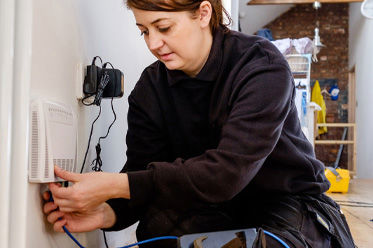
How does an engineer install Lightstream broadband?
Find out more about what our engineers will be working on in the outside and inside your home to set up your Lightstream broadband service.
Things you didn't know were affecting your Wi-Fi
Our full fibre Lightstream delivers the UK’s fastest broadband speeds right to your front door, but your in-home experience can be affected by many different factors
Award-winning home broadband
-

For our commitment to sustainability and reduced energy consumption.
-

For our work with local charities, such as HEY Children’s University.
-

For providing essential connectivity to local community groups.
-

In recognition of our impactful 'The Power is All Yours' campaign.